You can absolutely build a convincing bird perch in Minecraft, and depending on whether you're playing vanilla or with mods, you can even make it functional so birds and tamed creatures actually sit on it. The short answer: vanilla Minecraft doesn't have a dedicated "bird perch" block, but a combination of fence posts, slabs, stairs, and fence gates gets you a perch that looks right and behaves as well as the game allows. Add a mod or two and you get real sitting logic. Either way, here's exactly how to pull it off.
How to Make a Bird Perch in Minecraft: Step-by-Step
Marcus Thornton
7 Apr 2026
What counts as a bird perch in Minecraft
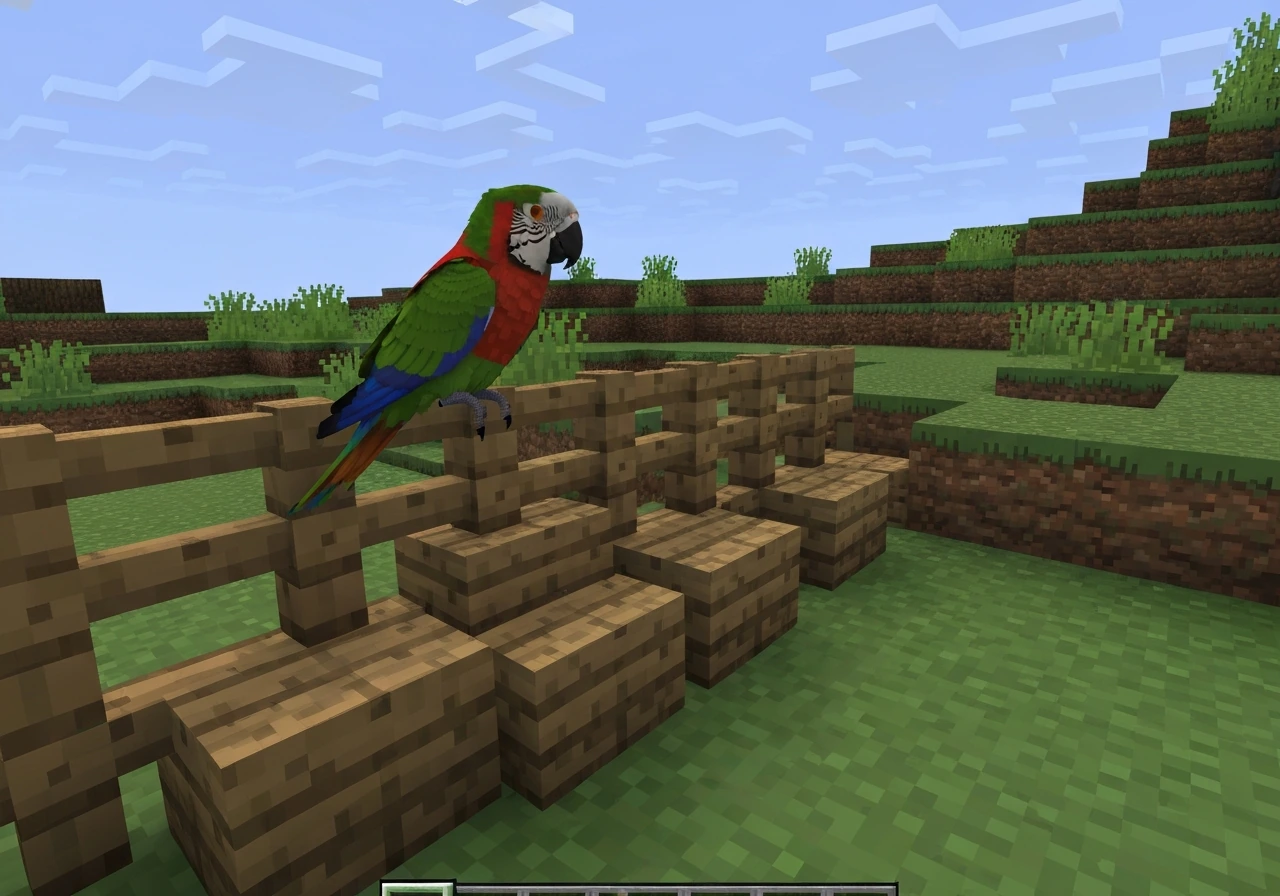
Vanilla Minecraft has no block called "bird perch." What the game gives you instead is a set of tameable mobs (wolves, cats, and parrots can all be ordered to sit via a right-click, staying in place until you tell them otherwise) and a toolbox of decorative blocks you can arrange to look like a perch. The sitting behavior exists; the perch itself is a build you create around that behavior.
Parrots in particular highlight the gap. Community feedback to Mojang has pointed out that parrots without a perch "just sit there on the floor," which looks wrong and breaks the immersion of any bird enclosure or aviary build. That vanilla limitation is exactly why this guide exists, and why the modding community has filled in with some targeted solutions.
On the mod side, the options split into two categories. First, there are mods that fix creature behavior so birds actually use elevated spots: Atmospheric Fauna, for example, has a full perching logic system (the 0.2.0 changelog even notes that the team "rewrote perching logic" and fixed bugs with group perching). Second, there are mods that let the player or any mob sit on blocks like slabs and stairs, which is the more universal solution for vanilla-style builds. Understanding which category you need guides every decision after this.
Vanilla vs mods at a glance
| Approach | Bird sits on perch? | Effort | Best for |
|---|---|---|---|
| Pure vanilla blocks | No (decorative only) | Low | Aesthetic builds, screenshots, roleplay |
| Sit (Fabric) mod / data pack | Yes (slabs and stairs) | Low-Medium | Survival/creative with sitting logic |
| Atmospheric Fauna / Fowl Play | Yes (native perching AI) | Medium | Players who want real bird mobs |
| Psittacine (parrot overhaul) | Yes (parrot-specific) | Medium | Parrot cage and aviary builds |
| Practical Pets | Yes (cycle: follow/sit/wander) | Medium | General pet perch setups |
What blocks to use and why
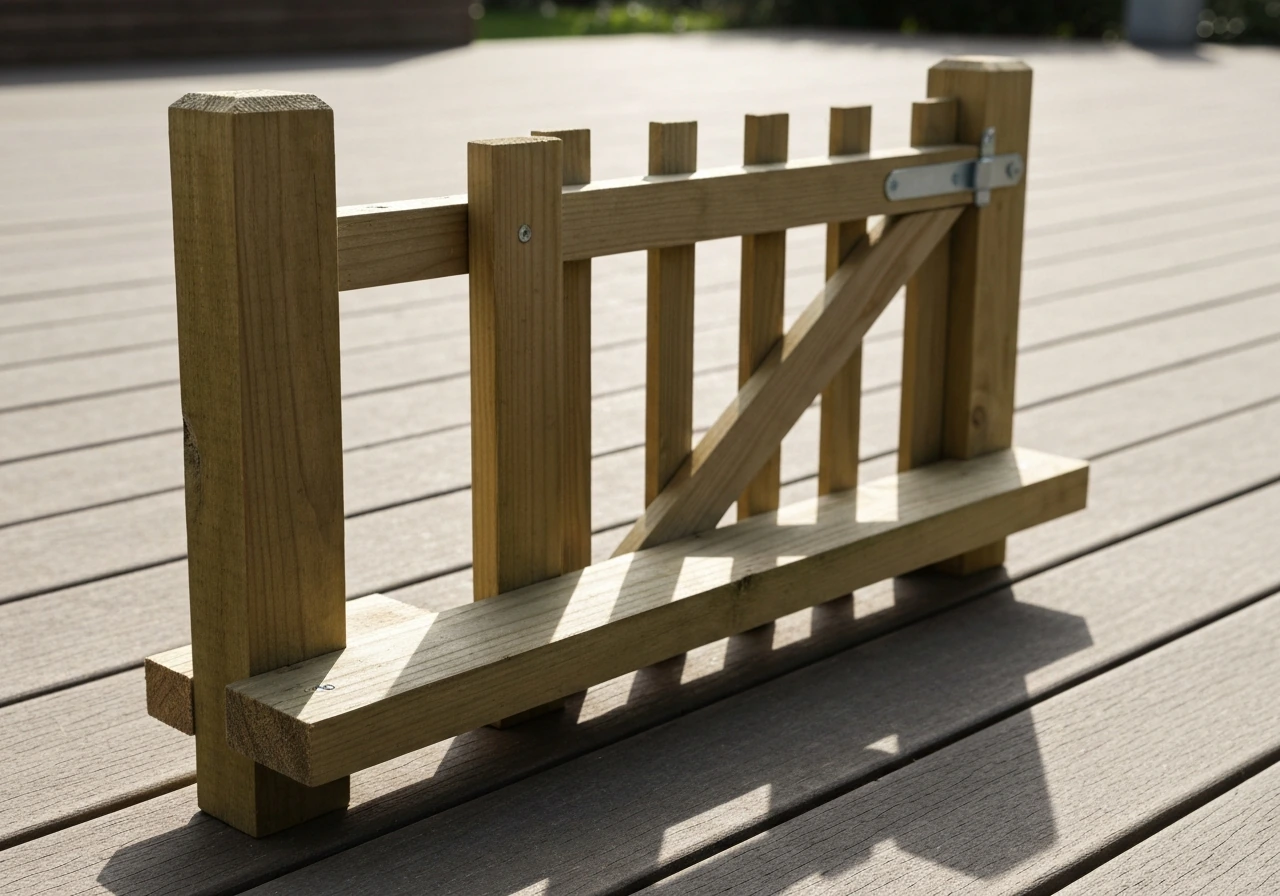
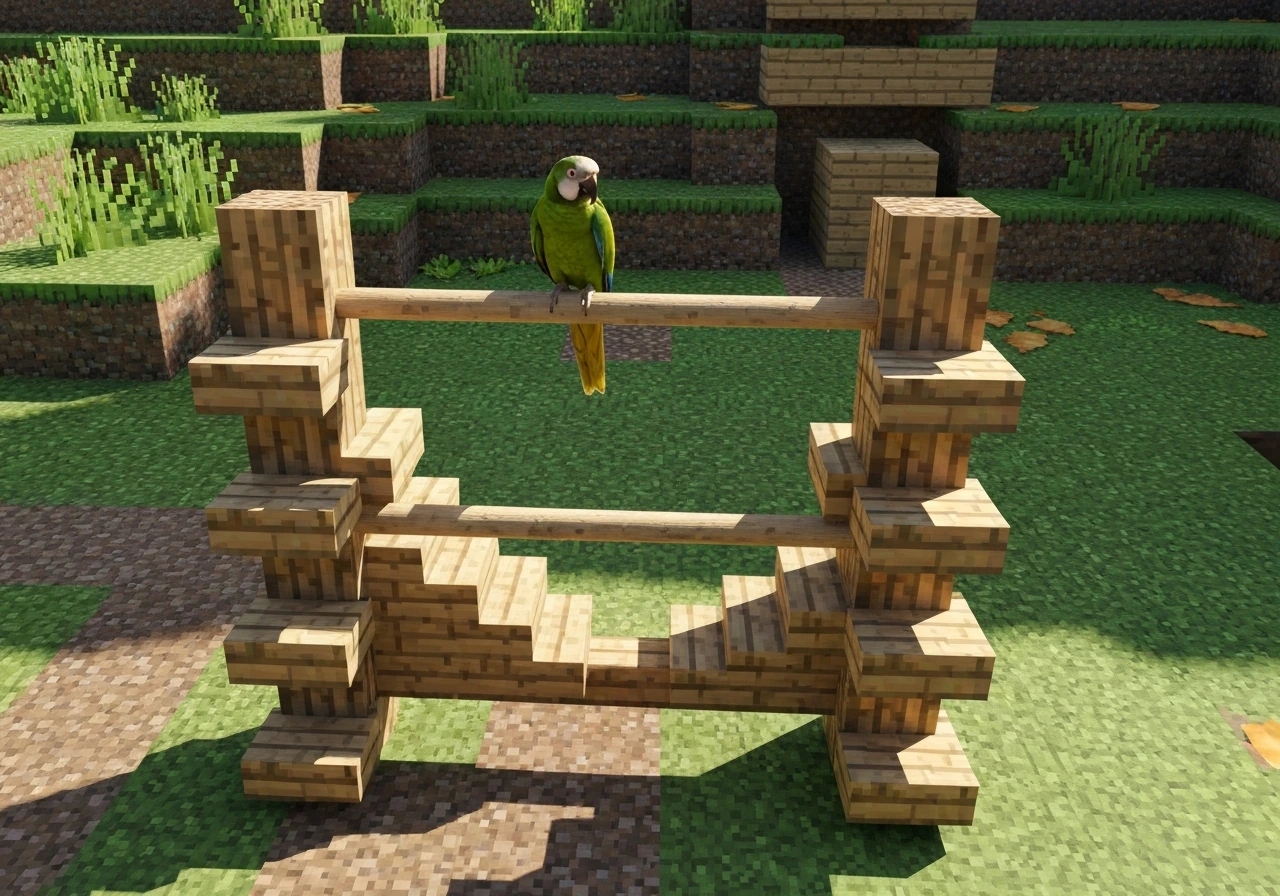
The best vanilla perch silhouette comes from three block families: fence posts for the upright stand, stairs or slabs for the horizontal bar the bird "sits" on, and fence gates for layered height and decorative detail. Each one earns its place.
Fence posts are the obvious spine of any perch stand. They're tall enough to read as a pole at a glance, they connect naturally to other fence blocks, and they work in every wood type so you can match your build's palette. Fence gates are the sneaky MVP: entities standing on top of a fence gate sit half a block above the gate's surface, which gives any decorative bird placed near one a naturally elevated look. That half-block lift is exactly what separates a perch from a bird just standing on the floor.
Stairs and slabs handle the crossbar. An upside-down stair (placed with the angled face pointing down) reads as a branch or perch bar far better than a flat slab alone, and it's the exact block that the Sit (Fabric) mod targets for its sitting mechanic. If you're using the Planet Minecraft "Chairs! Planet Minecraft also lists the “Chairs!
Sit on stairs and slabs! ” data pack, including that using /trigger createchair on a stair makes it functional as a chair [the Planet Minecraft "Chairs! - p12s2](https://www. planetminecraft.
com/data-pack/1-19-chairs-sit-on-stairs-and-slabs). Sit on stairs and slabs! " data pack, triggering /trigger createchair on a stair block turns that same decorative piece into a functional seat. CurseForge’s listing for the “Better Chairs” data pack also describes a chair-crafting goal using wooden stairs and notes Minecraft 1.
21 compatibility Better Chairs data pack. Wood types that look most natural: jungle wood for tropical-bird builds, dark oak or mangrove for a more rustic perch, or stripped birch for a clean aviary-style post.
For material choice, lean into what the Lone Perch community build demonstrated: very high use of vanilla blocks, no rare resources, no trips to the End or Nether required. A complete perch stand costs you fewer than 10 blocks. That's a beginner-friendly budget that leaves room to build multiples.
Step-by-step: building your first bird perch
This basic T-perch design works in any version of Minecraft from 1.16 onward and takes about two minutes to place. It's the same shape you'd build for a real-world DIY bird perch, just translated into blocks.
- Choose your spot. Clear a 1x1 footprint on the floor where your perch base will sit. If this is inside an enclosure, position it at least 2 blocks from the nearest wall so a tamed parrot or cat has room to turn around.
- Place your base block. Put down a single solid block (stone brick, stripped log, or any matching material) at floor level. This anchors the post visually and prevents the fence from connecting to the floor fence if you have one.
- Stack your fence post. Place two fence blocks directly on top of the base block. This gives you a perch height of about 2.5 blocks from the ground, which reads correctly as an elevated stand.
- Add the crossbar. Place a fence gate on top of the second fence block, then place one fence gate to each side (left and right only, not front and back) so they form a T shape when viewed from the front. Orient each gate so it faces outward.
- Add the perch bar. Place an upside-down wooden stair on each end of the fence gate arms, with the flat face up. These are what a tamed parrot or other creature will "sit" on decoratively, and they're what the Sit mod targets for actual sitting.
- Optional: place your bird. Right-click a tamed parrot with an empty hand to order it to sit, then nudge it onto the stair block. In vanilla it won't snap to the stair automatically, but it will hold its sit position once it's there.
That's the core build. It works, it looks right, and you can replicate it in five minutes once you've done it once. Everything below is about upgrading, varying, or connecting it to a larger layout.
Wall mounts, tree branches, and multi-perch layouts
Wall-mounted perch
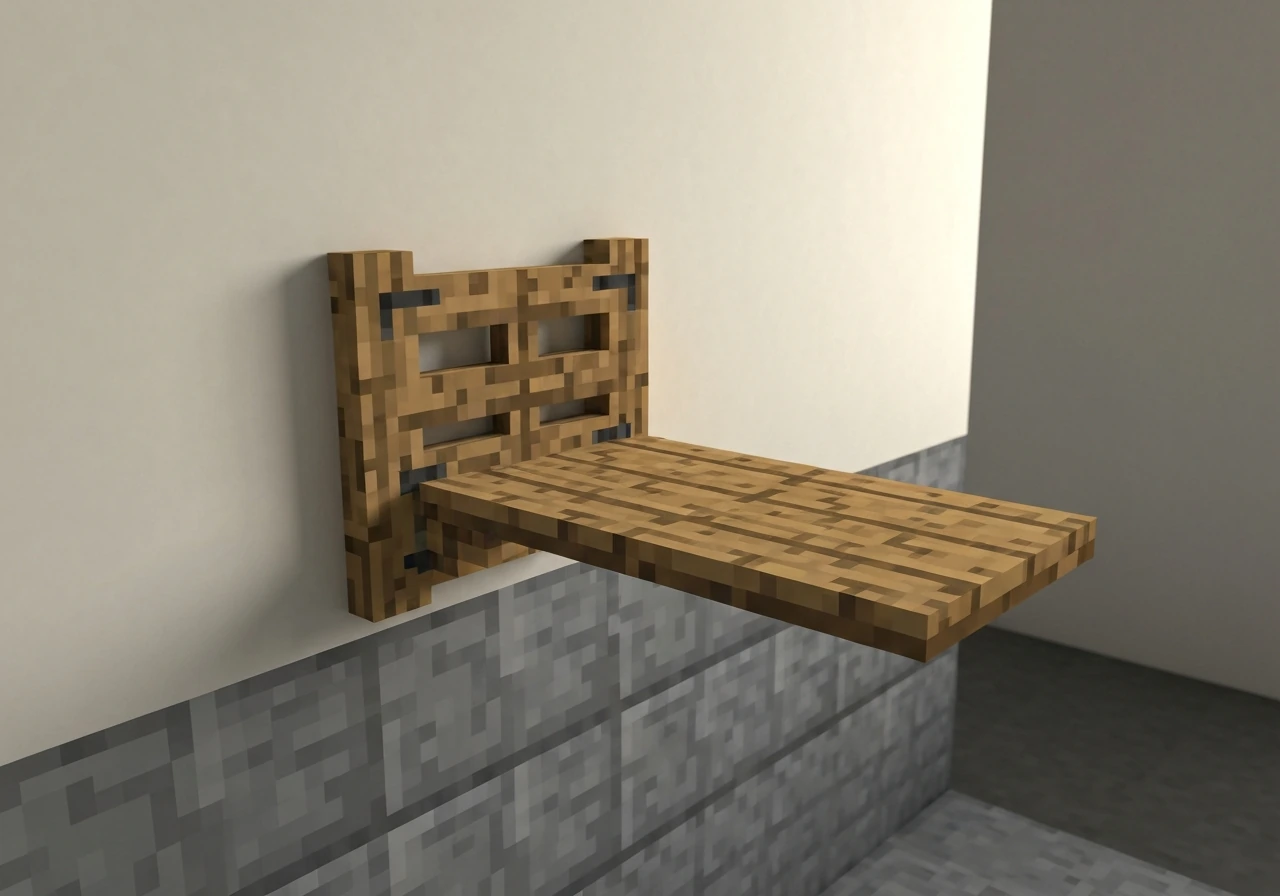
Instead of a freestanding post, attach the perch directly to a wall. Place a fence gate flush against the wall block at eye height (about 2 blocks up from the floor), then extend one or two stair blocks outward from it. From the front, it looks like a bracket-mounted perch. This works especially well on the interior wall of an aviary or birdhouse build. If you want a physical ledge that birds or cats can actually jump onto and sit, make sure the stair surface is flush with the top of the fence gate so there's no awkward half-block gap to catch on.
Tree branch perch
For an outdoor or forest-biome setup, skip the post entirely and use an existing tree. Extend a row of fence blocks outward from a trunk at height (3 to 5 blocks up), then cap the end with an upside-down stair. This mimics a natural branch perch and works beautifully with the bird mods that add realistic flying and perching behaviors, like a full bird-themed Minecraft build that uses tree structures as core architecture. Jungle or oak wood matches naturally; mix in some leaf blocks around the base to blend the fence post into the canopy.
Multi-perch stand
A multi-perch stand follows the same logic as the basic T-perch but goes taller and wider. Build the main post up to 4 fence blocks, add a crossbar of fence gates at the 2-block mark and again at the 4-block mark, and cap each arm with stairs. This two-level design gives you space for multiple birds and reads as a proper parrot tree stand. You can also add a hanging element by placing a chain block (available in 1.16+) below the upper crossbar and attaching a lantern or bell for visual weight.
If you want to go truly elaborate, the same logic applies to a rope-style hanging perch. Alternating fence gates and chains from the ceiling of an enclosed space creates a swinging perch silhouette, similar in concept to building a rope ladder for bird enrichment, just executed in Minecraft materials. Chains at ceiling level, fence gate below, stair block at the bottom: three blocks, totally convincing.
Placement tips: height, spacing, and making it look right
Height matters more than most players think. A perch placed at 1 block above the floor reads as a feeding dish. A perch at 2 to 3 blocks reads as an actual elevated stand. For parrots specifically, aiming for 2.5 blocks (two fence posts plus a slab) hits the visual sweet spot and keeps the bird at about shoulder height, which is where parrots naturally hang out in the real world.
Spacing between multiple perches in the same enclosure should be at least 3 blocks edge to edge. This gives tamed creatures room to path between them without getting stuck, and it prevents the visual clutter of overlapping fence gate arms. In a larger aviary, a spacing of 4 to 5 blocks between perch stands creates a comfortable, open look.
For visibility and aesthetics, position the main perch roughly in the center of the enclosure so it reads as the feature element, not an afterthought pushed against a wall. If you're building an open-air garden perch for screenshots or a showcase build, orient the crossbar east-west so the morning sun (from the east in Minecraft) lights up the bird's face rather than silhouetting it from behind.
One practical containment note: if you have any solid blocks inside the enclosure at the same height as your perimeter fence, animals can hop from that block over the fence and escape. Keep the interior clear of raised ledges at fence height, or raise your perimeter fence one block higher than any interior platforms. This is the same principle you'd apply to any Minecraft animal pen.
Troubleshooting and version differences
The most common complaint is "the perch looks flat or wrong." Nine times out of ten, this is a fence gate orientation issue. Fence gates placed parallel to each other (both facing the same direction) won't form a T-bar; they need to face outward in opposite directions from the center post. If your build looks like a fence row instead of a crossbar, break the gates and re-place them so they face away from each other.
Second most common: the bird won't stay on the perch after you log out. This is vanilla behavior. Sitting tamed mobs stay put, but they can still be pushed by other entities or fall if a block is removed. Make sure the stair block they're sitting on has a solid block beneath it (not a fence gate beneath a stair, as the collision hitbox there can be inconsistent). If you're using the Perch mod (compatible from Minecraft 1.19 onward), it specifically prevents parrots from falling off your shoulder when you take damage or fall, which is a different but related fix for parrot persistence.
Version differences to watch for: the chain block didn't exist before 1.16, so hanging perch designs won't work in older worlds. Fence gate hitbox behavior (entities standing half a block above) has been consistent since 1.9. The Sit (Fabric) mod's slab and stair sitting mechanic requires Fabric loader and is confirmed for 1.21. If you're on Bedrock, behavior packs are your equivalent of Fabric mods, and the sitting data pack won't work directly; you'll need a Bedrock-compatible add-on that replicates the same trigger logic.
If you're running a bird-focused mod like Fowl Play or Café's Birding and the birds aren't landing on your perches, check whether the mod's perching logic requires specific block tags or a minimum open-air clearance above the perch block. Most bird mods need at least 1 to 2 blocks of open air directly above the perch surface for their flying AI to recognize the spot as a valid landing target.
Turning your perch into a full bird enclosure
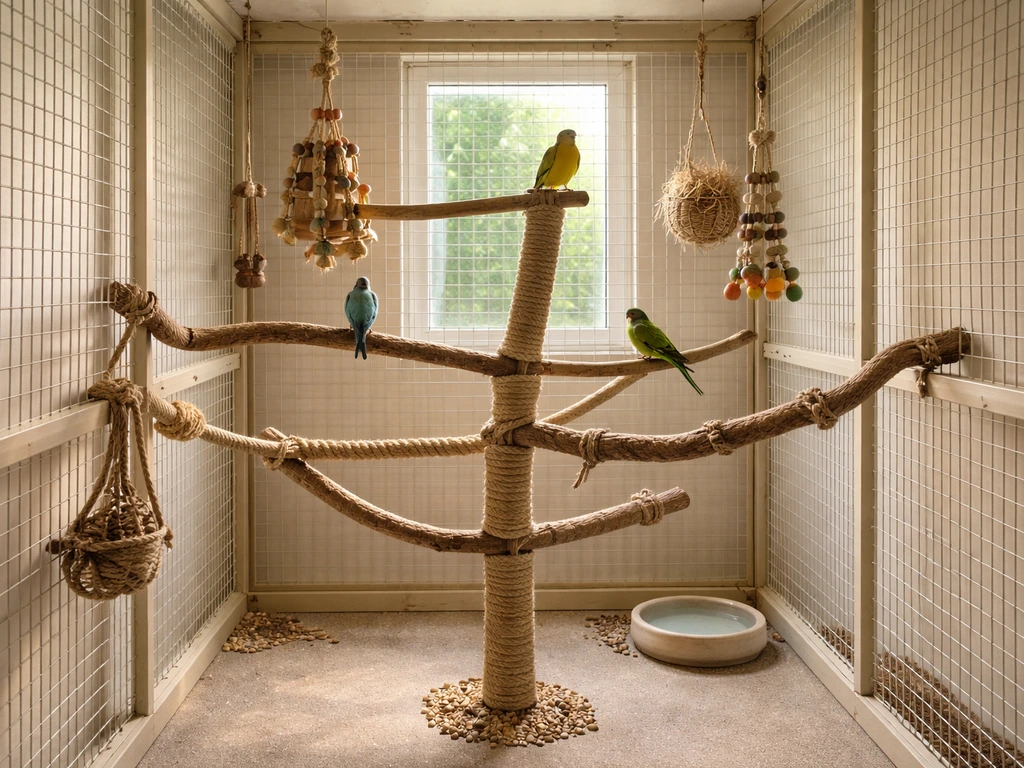
A single perch is a great start, but it's even better as the centerpiece of a full aviary or bird room. The same block logic that makes a convincing perch scales directly into a larger enclosure build. Start by surrounding your perch stand with a 7x7 or larger fence perimeter at a height of 4 to 5 blocks, then roof it with iron bars or glass panes (both let light through while keeping birds visible). Place two or three perch stands at different heights inside, add a water dish (cauldron with water), and scatter some leaf blocks or jungle saplings for texture.
For a more complex enrichment setup, the rope perch concept translates well: hang chains from the ceiling at different lengths, cap each with a stair block, and you've got a multi-level hanging perch array that looks genuinely dynamic. This is the Minecraft equivalent of building a rope bird perch for real-world use, and the visual result is surprisingly close. Add a bird nest mod like Bird Nests on top of this and you get nest boxes integrated into the same aviary structure, which turns the build into a complete habitat rather than just a decoration.
If you want the birds themselves to be more interesting than vanilla parrots, pair the enclosure with the Psittacine mod for a parrot overhaul that includes cage mechanics and egg systems, or add Café's Birding for a broader selection of vanilla-style birds that bring ambient life to the biome around your build. Both mods work well alongside the perch and fence logic described here.
For players who want to train or interact with their birds rather than just display them, the perch becomes a training station. In real-world bird keeping, a bird training perch is specifically designed to give the bird a neutral spot away from its cage during sessions. You can replicate this in Minecraft by placing a single T-perch in an open area outside the main aviary and using it as the spot where you interact with tamed parrots. It separates the "home base" from the "interaction zone," which adds both visual storytelling and practical mob management to your build.
One last upgrade worth considering: for large-scale aviaries, PVC-style builds (using white-stained smooth stone or quartz columns as the "pipe" frame) create a clean, modern look that contrasts nicely with natural wood perches inside. Real-world builders use this approach too, and if you want to see how the material logic maps across, the guide on building a bird perch from PVC pipe gives you the structural reasoning behind why rigid frames work well for multi-perch setups. In Minecraft terms: quartz pillars for the frame, stripped wood fence posts for the perch arms, stair blocks for the bars. Clean, readable, and scalable to any aviary size.
The beauty of this whole build system is that none of it requires rare materials, complex redstone, or even a lot of space. A complete perch stand with two levels fits in a 3x3x5 footprint. A full aviary with three perches, a water dish, and a roofed enclosure takes maybe 30 minutes to build on a first attempt. Start with the basic T-perch, get comfortable with fence gate orientation and stair placement, and you'll find the rest of the upgrades come naturally.
FAQ
In vanilla, how do I make sure a parrot actually uses my perch instead of sitting on the floor?
If you want a functional “sit and stay” perch without relying on mod authors, use a tamed parrot and the basic T-perch build. In vanilla, the bird’s behavior is what makes it work, the perch is mostly collision and appearance. Also place the bird on the stair surface, not on the fence gate, to avoid inconsistent hitbox moments.
What block placement mistakes make birds refuse to land or quickly fall off?
Use the block that creates the visible ledge, the upside-down stair or the top surface of the slab, as the landing target. If the bird ends up slipping off, check for gaps like an upside-down stair placed one block away from the fence gate top, or a stair whose underside clips into another block.
Can perches accidentally let my birds escape the aviary?
Don’t put interior blocks at the same height as your perimeter fence, even if they are “behind” the perch. If an animal can jump onto a ledge, it can clear the fence and escape, and that also causes birds to leave the perch area when other entities push them.
How much empty space needs to be above the perch for bird mods to recognize it?
Yes, but you need to treat it like a separate “landing zone.” Keep at least 1 to 2 blocks of open air above the perch surface for the bird-mod AI to recognize it, and avoid placing leaves, slabs, or upside-down stairs directly overhead that can block the clearance.
Why does my perch seem fine in one session but looks off after relogging?
For a stable perch, avoid having the stair directly rest on a fence gate when possible. A solid block beneath the stair reduces weirdness with entity collision, especially after chunk reloads. If you must use fences for height, insert a solid connector block between the stair and the gate.
I built the T-perch but it looks like a straight fence, how do I correct the gate orientation?
Place fence gates so the two arms form a true T by facing away from the center post. A common fix is to break both gates and rebuild one at a time, checking that their hinge directions point outward (not parallel to each other), then align the stair crossbar afterward.
Should I use slabs or stairs for the crossbar depending on whether I want looks or functionality?
If your goal is a display perch for screenshots, you can prioritize silhouette over collision, using slabs for a flatter look. If your goal is “birds use it,” prioritize stair tops and upside-down stair bars because their geometry is a clearer ledge than a plain slab.
What changes if I’m playing Bedrock instead of Java?
On Bedrock, the vanilla-style “trigger data pack” approach won’t work, so you need a Bedrock add-on or marketplace behavior pack that explicitly adds sit logic. If you only have vanilla parrot sitting, expect them to remain in a general spot after you mount them, but don’t assume the same perching persistence as Java mods.
When a bird mod is installed, how do I troubleshoot why birds ignore my perch?
If birds won’t perch in a modded world, check whether the mod requires specific block tags for “perching surfaces,” and confirm the perch height is within its valid landing range. A quick test is to place the same stair-on-gate bar at 2 blocks up and compare behavior between that and your current height.
What’s the best way to scale up from one perch to multiple perches without making it messy or unusable?
If you want a multi-level stand that doesn’t look cluttered, keep the vertical spacing consistent, add crossbars at 2 and 4 blocks like the base design, and use 4 to 5 blocks between separate stands. This reduces overlapping hit areas and also helps birds path between perches.
Next Articles
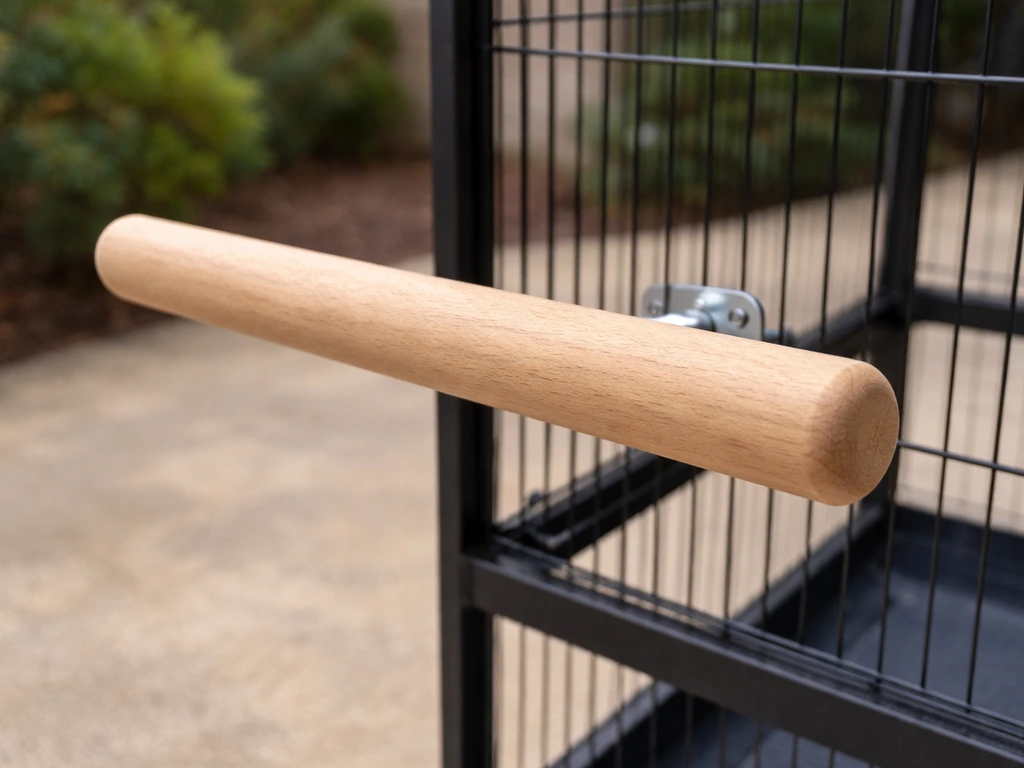
How to Make a Bird Perch: DIY Wood Steps and Sizes
Step-by-step DIY wood bird perch with sizes for common birds, secure mounting, and safe smoothing weatherproofing.
How to Build a Chimney Swift Bird House DIY Guide
Step-by-step DIY plans to build a chimney swift bird house, with correct dimensions, placement, and weatherproofing for
How to Build an Oriole Bird House: Step-by-Step DIY
Step-by-step DIY for building an oriole bird house with right dimensions, weatherproofing, predator-safe placement, and